
Kia Cadenza YG: Body Electrical System / Special Service Tools
| Special Service Tools |
| Tool (Number and Name) | Illustration | Application |
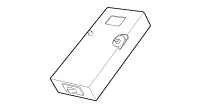
| RKE Battery Checker (09954-2P100) |
| Measuring the RKE battery voltage |
| Correction jig of LDWS (09890-3N100) |
| Correction of LDWS (Lane Departure Warning System) |

General Troubleshooting Information Before Troubleshooting 1. Check applicable fuses in the appropriate fuse/relay box. 2. Check the battery for damage, state of charge, and clean and tight connections.
Other information:
Kia Cadenza YG 2016-2021 Service Manual: Troubleshooting
Troubleshooting Examples of False-Alarm Occurrence from system characteristics (It’s not a problem) – Characteristics of EM Wave : EM Waves are reflected against all material and especially metal very well. Reflections of EM Waves are varies with the shape of object.
Kia Cadenza YG 2016-2021 Service Manual: A/C Pressure Transducer Description and Operation
Description A/C pressure transducer convert the pressure value of high pressure line into voltage value after measure it. By converted voltage value, engine ECU controls cooling fan by operating it high speed or low speed. Engine ECU stop the operation of compressor when the temperature of refrigerant line is so high or so low irregularl
Categories
- Manuals Home
- Kia Cadenza Owners Manual
- Kia Cadenza Service Manual
- Engine Control / Fuel System
- Automatic Transaxle System
- Brake System
- New on site
- Most important about car
