
Kia Cadenza YG: Power Windows / Power Window Switch Schematic Diagrams
Kia Cadenza YG 2016-2021 Service Manual / Body Electrical System / Power Windows / Power Window Switch Schematic Diagrams
| Circuit Diagram |
| Driver Power Window Switch (1) |

| Driver Power Window Switch (2) |
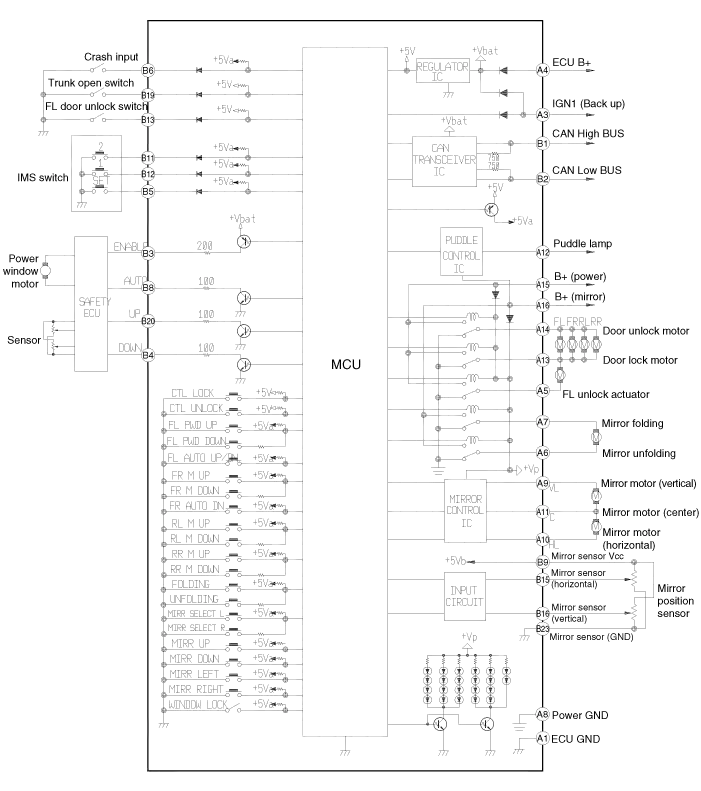
| Passenger Power Window Swich |
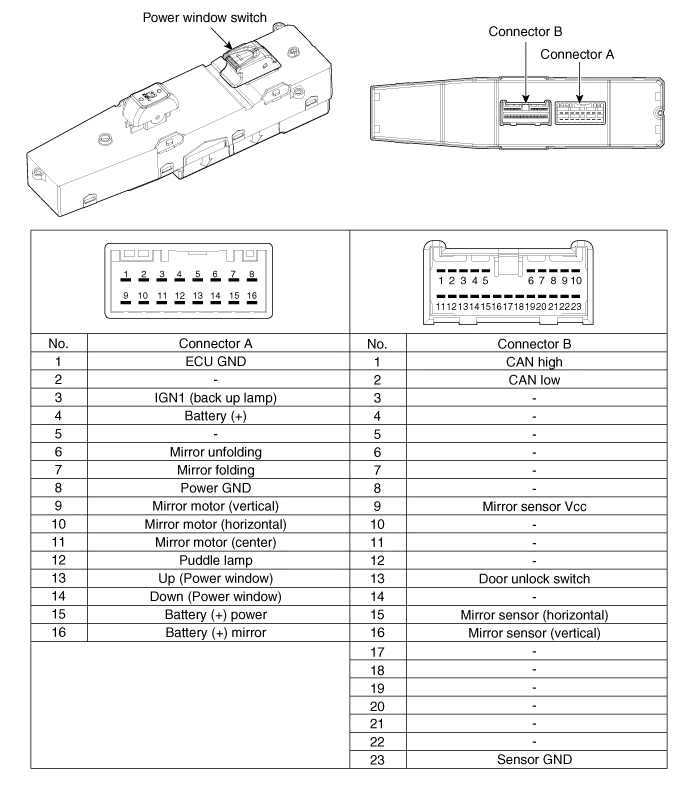
| Rear Power Window Swich |
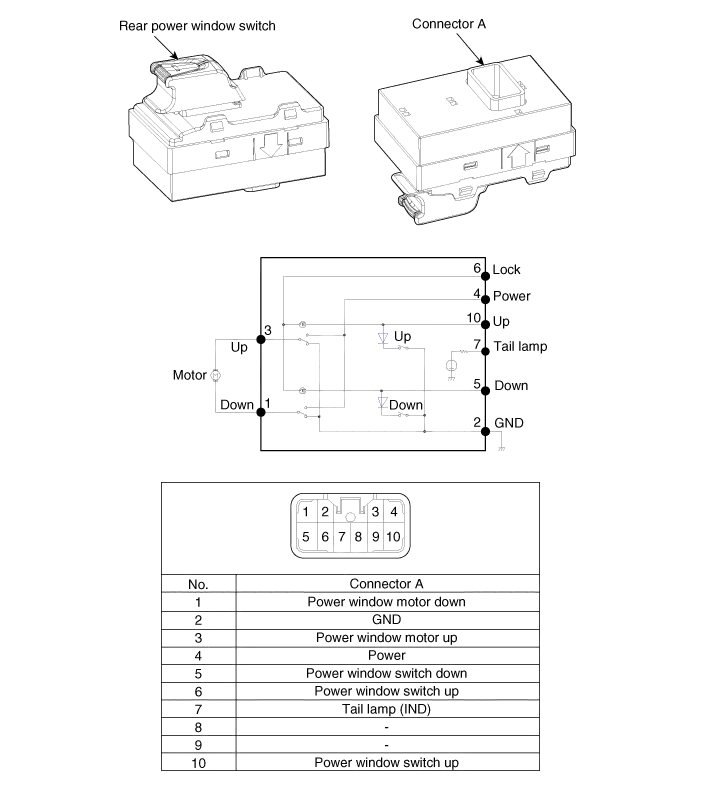
Inspection Front Power Window Motor Inspection 1. Remove the front door trim panel. (Refer to Body - "Front Door") 2. Disconnect the connector from the motor.
Inspection Driver Power Window Switch 1. When checking the driver power window switch, select a vehicle type and "IPM" menu. 2. Select "DDM (Driver Door Module)".
Other information:
Kia Cadenza YG 2016-2021 Service Manual: Components and Components Location
C
Kia Cadenza YG 2016-2021 Service Manual: Compressor Repair procedures
Removal 1. If the compressor is marginally operable, run the engine at idle speed, and let the air conditioning work for a few minutes, then shut the engine off. 2. Disconnect the negative cable from the battery. 3. Recover the refrigerant with a recovery/charging station.
Categories
- Manuals Home
- Kia Cadenza Owners Manual
- Kia Cadenza Service Manual
- Engine Control / Fuel System
- Timing Chain Repair procedures
- Engine Mechanical System
- New on site
- Most important about car

Copyright © 2026 www.kcadenzavg.com - 0.0292