
Kia Cadenza YG: Power Windows / Power Window Switch Schematic Diagrams
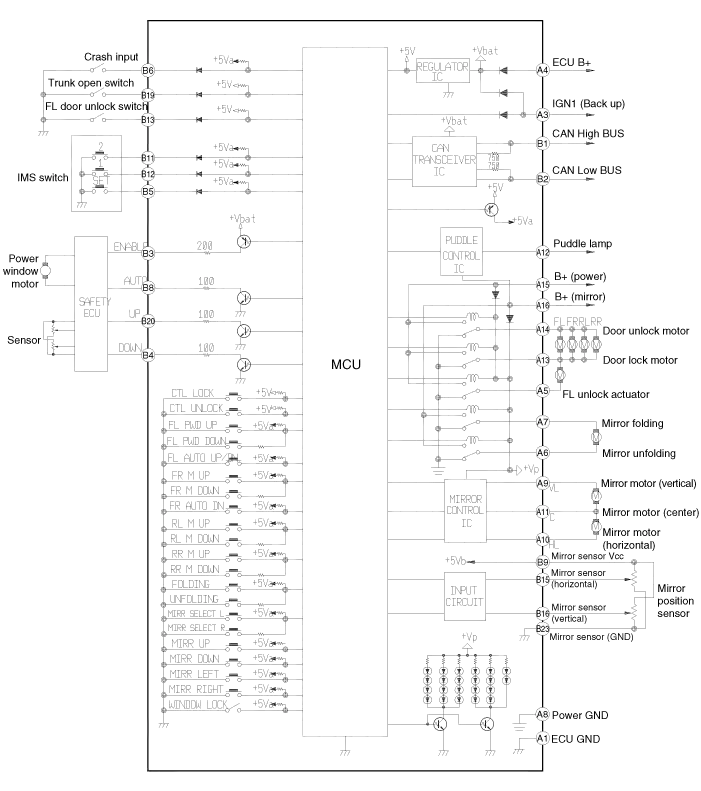
| Circuit Diagram |
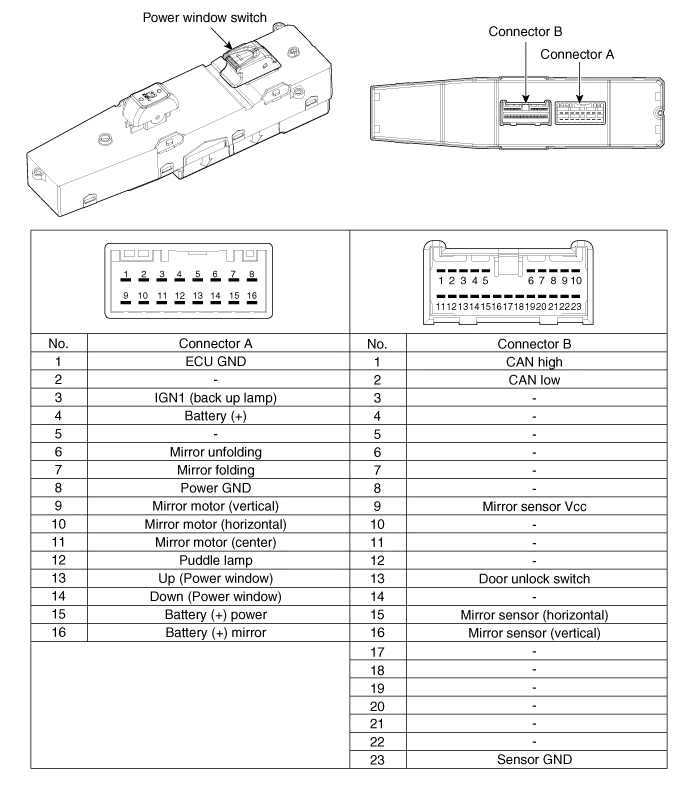
| Driver Power Window Switch (1) |

| Driver Power Window Switch (2) |
| Passenger Power Window Swich |
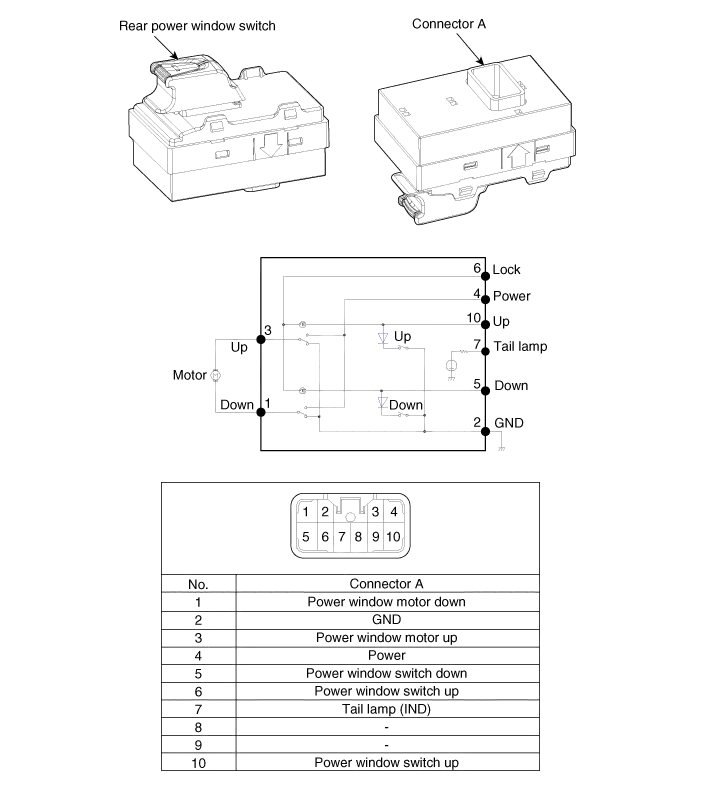
| Rear Power Window Swich |
Inspection Front Power Window Motor Inspection 1. Remove the front door trim panel. (Refer to Body - "Front Door") 2. Disconnect the connector from the motor.
Inspection Driver Power Window Switch 1. When checking the driver power window switch, select a vehicle type and "IPM" menu. 2. Select "DDM (Driver Door Module)".
Other information:
Kia Cadenza YG 2016-2021 Service Manual: Repair procedures
Diagnosis With GDS 1. BSD system defects can be quickly diagnosed with the GDS. GDS operates actuator quickly to monitor, input/output value and self diagnosis. 2. Connect the cable of GDS to the data link connector in driver side crash pad lower panel, turn the power on GDS.
Kia Cadenza YG 2016-2021 Service Manual: Heater Unit Components and Components Location
Component Location Components 1. Heater Case (LH)2. Separator3. Evaporator Core4. Shower Duct (LH)5. Heater Core Cover6. Heater Core7. Mode Actuator8. Mode Cam9. Temp Actuator (Drive)10. Vent Door Arm11. Floor Door Arm 1. Heater Case (RH)2.
Categories
- Manuals Home
- Kia Cadenza Owners Manual
- Kia Cadenza Service Manual
- Specifications
- Engine Electrical System
- Crankshaft Damper Pulley Components and Components Location
- New on site
- Most important about car
