
Kia Cadenza YG: Indicators And Gauges / Instrument Cluster Components and Components Location
Kia Cadenza YG 2016-2021 Service Manual / Body Electrical System / Indicators And Gauges / Instrument Cluster Components and Components Location
| Components |
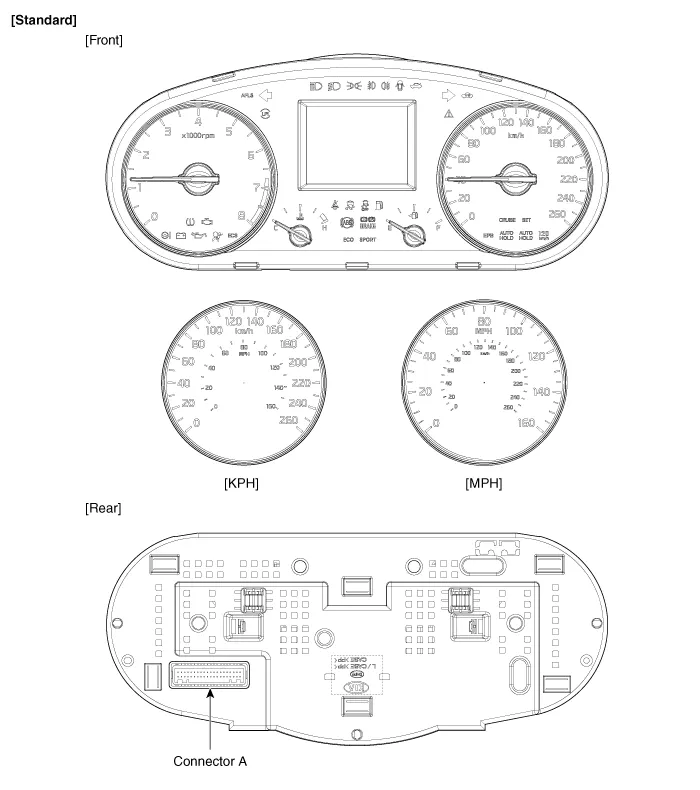
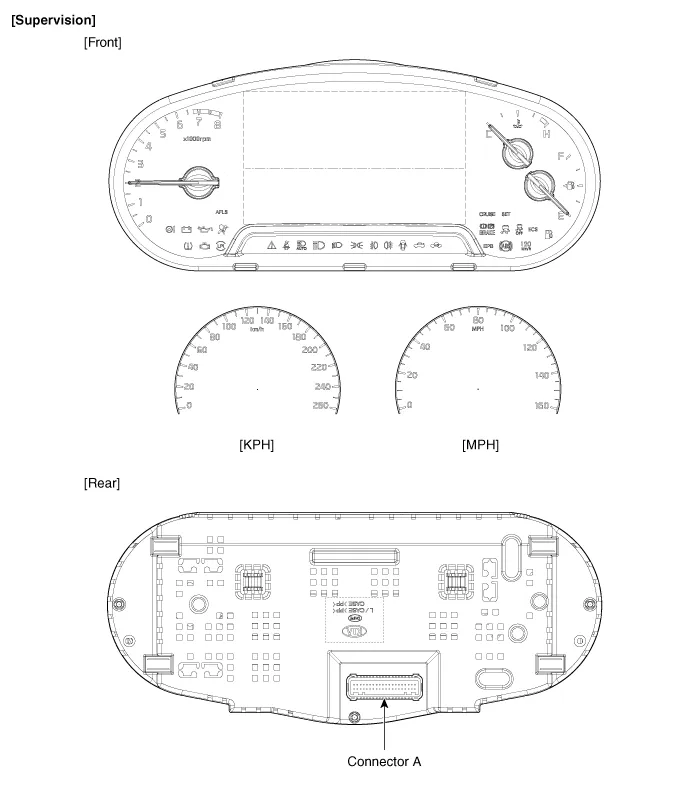
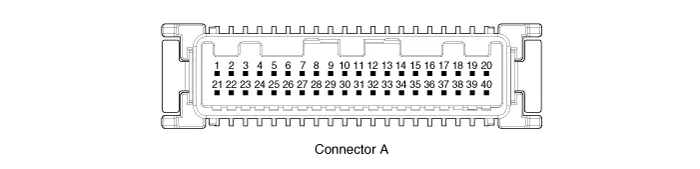
Connector Pin Information
| No. | Description | No. | Description |
| 1 | Air bag (+) | 21 | Aig bag (-) |
| 2 | Trip switch (+) | 22 | Speaker output (+) |
| 3 | Cruise switch (+) | 23 | Speaker output (-) |
| 4 | Rheostat down switch (-) | 24 | Trip switch (-) |
| 5 | Rheostat up switch (-) | 25 | VS 4P output (-) |
| 6 | Oil pressure (-) | 26 | AT R output (+) |
| 7 | Washer indicator (-) | 27 | AT P output (+) |
| 8 | Battery charge (-) | 28 | Detent output (+) |
| 9 | H/SWHL indicator (+) | 29 | Immobilizer (-) |
| 10 | Brake oil switch (-) | 30 | MM CAN high |
| 11 | Active ECO switch (-) | 31 | MM CAN low |
| 12 | Driving mode switch (-) | 32 | C CAN low |
| 13 | AT D output (+) | 33 | C CAN high |
| 14 | Fuel (+) | 34 | AT N output (+) |
| 15 | AT S output (+)(AT) | 35 | Illumniation (-) |
| 16 | Fuel (-) | 36 | P ground |
| 17 | - | 37 | S ground |
| 18 | Glass status signal (-) | 38 | - |
| 19 | - | 39 | IGN 1 (+) |
| 20 | Illumination (+) | 40 | Battery (+) |
Component Location 1. Instrument cluster assembly2. Seat belt switch3. Vehicle speed sensor4. Engine coolant temperature sender5. Oil pressure switch6.
Circuit Diagram
Other information:
Kia Cadenza YG 2016-2021 Service Manual: Blind Spot Detection Variant Coding Description and Operation
Description The used radar frequency of BSD is two, "North America region" and "Except North America region". If it replaces BSD unit, BSD unit has to perform the procedure of variant coding. BSD Variant Coding 1. Select the "BSD Variant Coding" procedure in BSD system.
Kia Cadenza YG 2016-2021 Service Manual: Auto defoging sensor Repair procedures
Inspection 1. Press the OFF switch more then 4 times within 2 seconds while pressing the MODE switch. DisplayFail description00Normal23Auto defog sensor OPEN24Auto defog sensor SHORT43Defog door potentiometer OPEN/SHORT44Defog door potentiometer * Diagnostic procedure refer to DTC code.
Categories
- Manuals Home
- Kia Cadenza Owners Manual
- Kia Cadenza Service Manual
- Automatic Transaxle System
- Emission Control System
- Body Electrical System
- New on site
- Most important about car

Copyright © 2026 www.kcadenzavg.com - 0.028