
Kia Cadenza YG: Blind Spot Detection System / Repair procedures
| Diagnosis With GDS |
| 1. |
BSD system defects can be quickly diagnosed with the GDS. GDS
operates actuator quickly to monitor, input/output value and self
diagnosis. |
| 2. |
Connect the cable of GDS to the data link connector in driver side crash pad lower panel, turn the power on GDS. |
| 3. |
Select the vehicle model and then BSD system. |
| 4. |
Select "Input/output monitoring", if you want to check current data of BSD system.
|
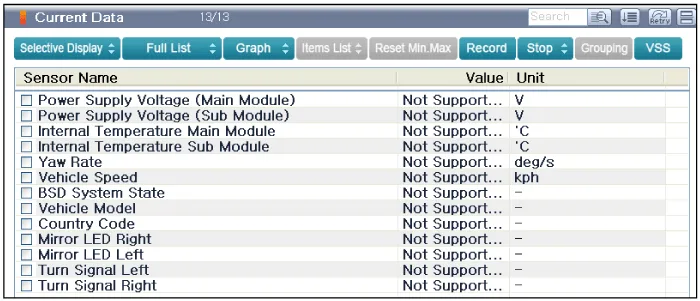
| 5. |
If you want to check each module operation forcefully, select "Actuation test".
|
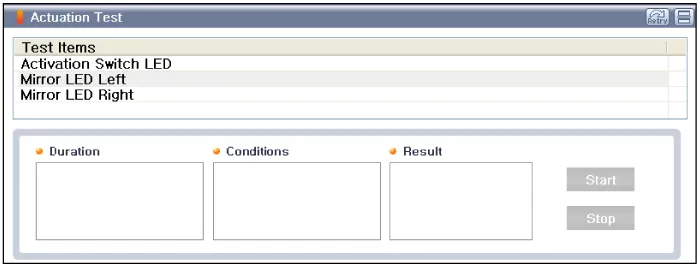
Description BSD is a system that uses two magnetic wave radar sensors attached on the rear bumper to measure the distance from the following vehicles and provides the sensing and (visual and auditory) alarm of any vehicle coming into the blind spot.
Circuit Diagram
Other information:
Kia Cadenza YG 2016-2021 Service Manual: Description and Operation
Description Surround View Monitoring System (SVM) is the system that allows video monitoring of 360 degrees around the vehicle. The system includes 4 ultra optical camera mounted around the vehicle (front, both sides, rear). The video from these cameras are applied with distortion compensation, time point conversion, and video merging
Kia Cadenza YG 2016-2021 Service Manual: Temperature Control Actuator Repair procedures
Inspection 1. Ignition "OFF" 2. Disconnect the connector of temperature control actuator. 3. Verify that the temperature control actuator operates to the hot position when connecting 12V to the terminal 3 and grounding terminal 7. Verify that the temperature control actuator operates to the cool position when connecting in the rev
Categories
- Manuals Home
- Kia Cadenza Owners Manual
- Kia Cadenza Service Manual
- Crankshaft Damper Pulley Components and Components Location
- Components and Components Location
- Body Control Module (BCM) Description and Operation
- New on site
- Most important about car
